

Rolling out predictive maintenance for cargo screening machines typically takes between 4 and 12 weeks, depending on the complexity of the existing infrastructure and the number of units involved. This period covers the initial site assessment, the installation of connectivity hardware, and the calibration of AI models against historical data. The goal is to transition from reactive repairs to data-driven planning without disrupting daily screening operations.
How long does the initial site assessment take?
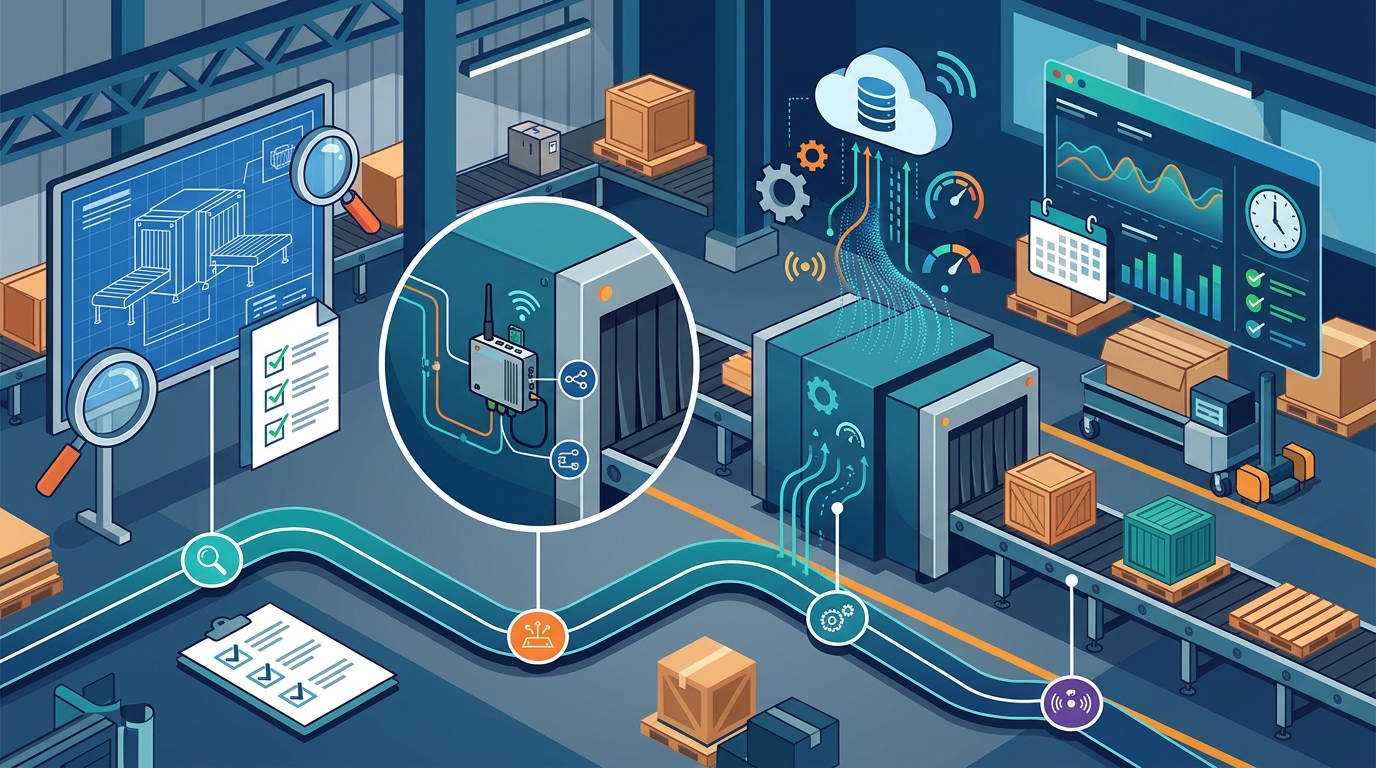
The first phase involves a detailed audit of the current X-ray fleet and the surrounding network environment. This step usually takes 1 to 2 weeks. Engineers must verify the physical condition of the machines, identify the specific models in use, and map out the available data points. For multi-site operations, this phase may extend as teams visit different locations to ensure consistent data collection standards.
During this stage, the team evaluates the cybersecurity posture of the facility. Since predictive maintenance requires continuous data streaming, the network must be secure and stable. The assessment also determines whether an on-site server is needed or if a cloud-based connection is sufficient. This foundational work ensures that the subsequent installation phase proceeds without unexpected technical blockers.
What is involved in the hardware installation phase?
Hardware installation is the most hands-on part of the deployment and typically lasts 1 to 3 weeks. This phase centers on connecting the X-ray systems to the monitoring platform. For many modern systems, this involves plugging a proprietary edge device, such as the DanlexBox, into the unit's Ethernet port. This device acts as a bridge, collecting, processing, and consolidating data from the machine before sending it to the central dashboard.
The installation process is designed to be minimally invasive. It does not require opening the X-ray cabinet or modifying the internal components of the screening machine. For older systems or those connected to isolated intranets, the setup may involve configuring an on-site server to handle data aggregation. The key implication here is that the physical installation is quick, but the configuration of the data streams requires careful attention to ensure accuracy.
How much time is needed for AI model calibration?
Calibrating the AI models is the most critical and time-consuming phase, often taking 2 to 6 weeks. The platform needs to learn the "normal" operating patterns of each specific machine. This involves feeding historical data and real-time telemetry into the system to establish baselines for key performance indicators. The AI models then analyze this data to identify deviations that signal potential degradation or failure.
During this period, the system runs in a monitoring mode where it observes the equipment without triggering immediate alerts. This allows the data science team to fine-tune the sensitivity of the predictive models. The goal is to reduce false positives while ensuring that genuine anomalies are caught early. This calibration phase is what transforms raw data into actionable insights, enabling the platform to estimate the remaining useful life of critical components.
When does the system go live for daily operations?
The go-live phase marks the transition from testing to operational use, typically occurring in the final 1 to 2 weeks of the deployment. At this stage, the alert notification system is activated. Service specialists begin receiving real-time updates on the health of the X-ray systems. The dashboard becomes the primary tool for monitoring asset performance, providing a clear view of the technical status of each unit.
During the initial live period, the team works closely with the maintenance staff to validate the alerts. This feedback loop helps refine the system's recommendations for maintenance actions. The implication of this phase is that the platform becomes an active participant in the maintenance workflow. It shifts the focus from fixing broken parts to planning preventive actions based on predicted failure risks, thereby optimizing the maintenance schedule and reducing unplanned downtime.
Key Takeaways
- Total deployment time usually ranges from 4 to 12 weeks for a standard fleet.
- Site assessment and hardware installation are the quickest phases, taking 1 to 3 weeks each.
- AI model calibration is the longest phase, requiring 2 to 6 weeks to establish accurate baselines.
- The process is non-invasive, using edge devices to connect to existing Ethernet ports.
- Go-live involves a short validation period to ensure alert accuracy before full operational use.
Frequently Asked Questions
Does the installation require taking the X-ray machine offline?
No, the installation is designed to be non-invasive. The connectivity device connects to the existing Ethernet port, allowing the system to continue operating while data is collected. This ensures that screening operations are not interrupted during the deployment process.
Can the platform handle different manufacturers of X-ray systems?
Yes, the solution is vendor-agnostic. It is designed to work with various manufacturers and equipment generations, including newer Computed Tomography technologies. This allows operators to unify diverse fleets under a single monitoring platform without needing to replace existing hardware.
What happens if the internet connection is unstable?
The edge device is designed to handle data buffering and local processing. In cases where the connection is unstable, the device can store data locally and transmit it once the connection is restored. For facilities with strict security requirements, an on-site server can be used to manage data aggregation and transmission.
Conclusion
Deploying predictive maintenance for cargo screening machines is a structured process that balances technical setup with data science calibration. By following a phased approach, operators can achieve a fully functional monitoring system within a few months. This transition enables a shift from reactive repairs to proactive management, ensuring that critical security infrastructure remains available and efficient. To explore how this solution fits your specific operational needs, you can schedule a demo with the team.